

Create a Shibuya crossing image first, then use it to generate a cinematic Shibuya crossing video.
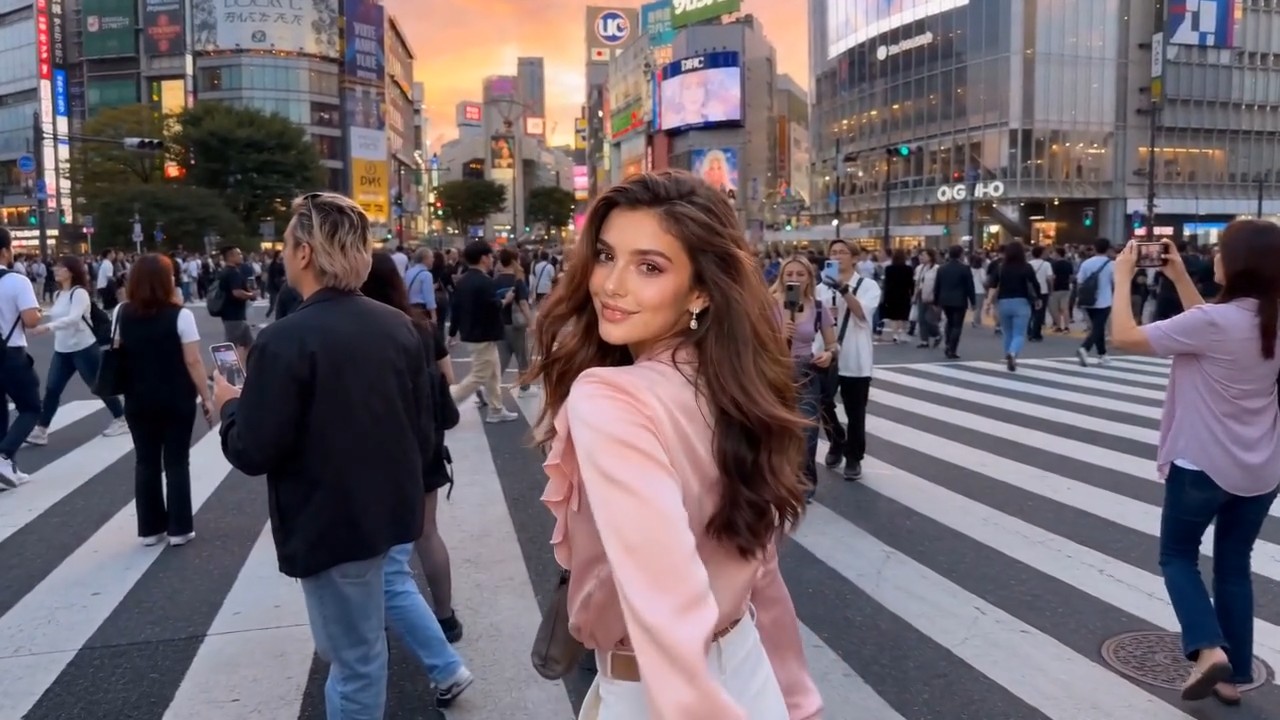
Shibuya Crossing Video AI Generator
Create a Shibuya crossing video from one photo
AIImage APP helps you turn any uploaded photo into a realistic Shibuya crossing video in seconds. Upload a portrait, travel photo, product image, couple photo, or creative shot, then generate a cinematic scene at the famous crossing in Tokyo. This Shibuya crossing video effect places your subject inside busy Japan street energy with walking crowds, neon signs, city lights, traffic signals, and natural camera motion. Use the AI crossing video generator to create travel-style clips, social posts, profile videos, story content, and viral Japan edits without filming in Tokyo.
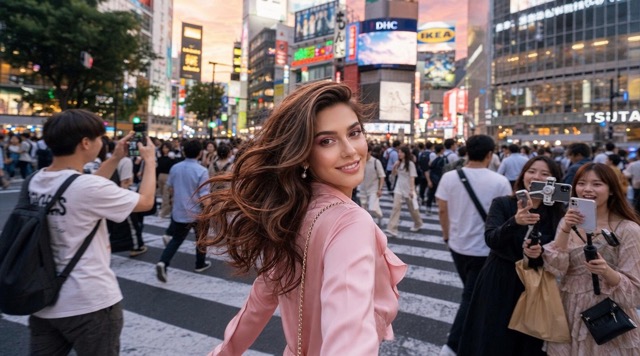
Create A Shibuya Crossing Video In Three Simple Steps
Use AIImage APP to generate a Shibuya crossing video from one uploaded image. The AI crossing video generator keeps the subject recognizable while adding the famous crossing in Tokyo, moving pedestrians, street lights, urban atmosphere, and cinematic video motion.
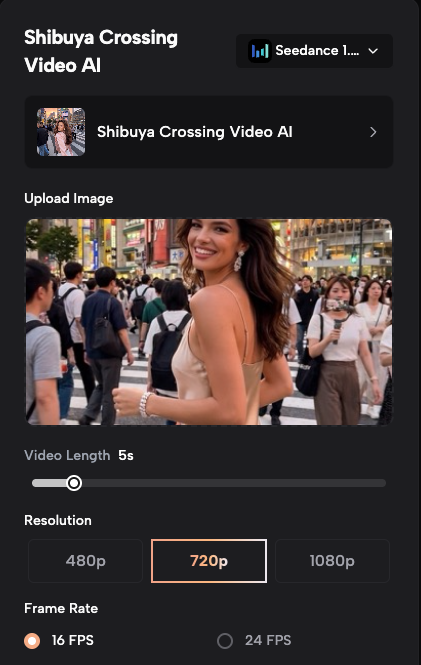
Upload Your Image
Step 1
Start your Shibuya crossing video by uploading any clear image. You can use a selfie, portrait, couple photo, full-body picture, product shot, travel image, fashion photo, or lifestyle image. AIImage APP reads the subject, pose, clothing, expression, lighting, and image composition, then prepares the scene for the famous crossing in Tokyo. The AI crossing video generator works best with sharp images where the main subject is easy to identify. A good upload helps the final Shibuya crossing video look natural, cinematic, and ready for social sharing.
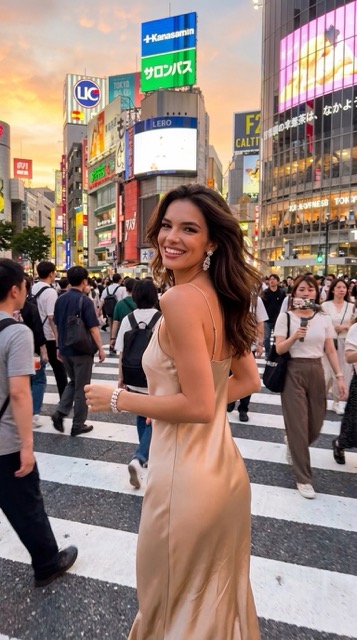
Why Use AIImage APP For Shibuya Crossing Video
AIImage APP makes Shibuya crossing video creation fast, visual, and creator-friendly. Instead of traveling to the famous crossing in Tokyo or editing complicated footage, you can use one uploaded image and generate an AI crossing video generator result instantly. The tool adds movement, crowds, lights, perspective, and Japan city atmosphere so the final Shibuya crossing video feels like a real urban travel clip.
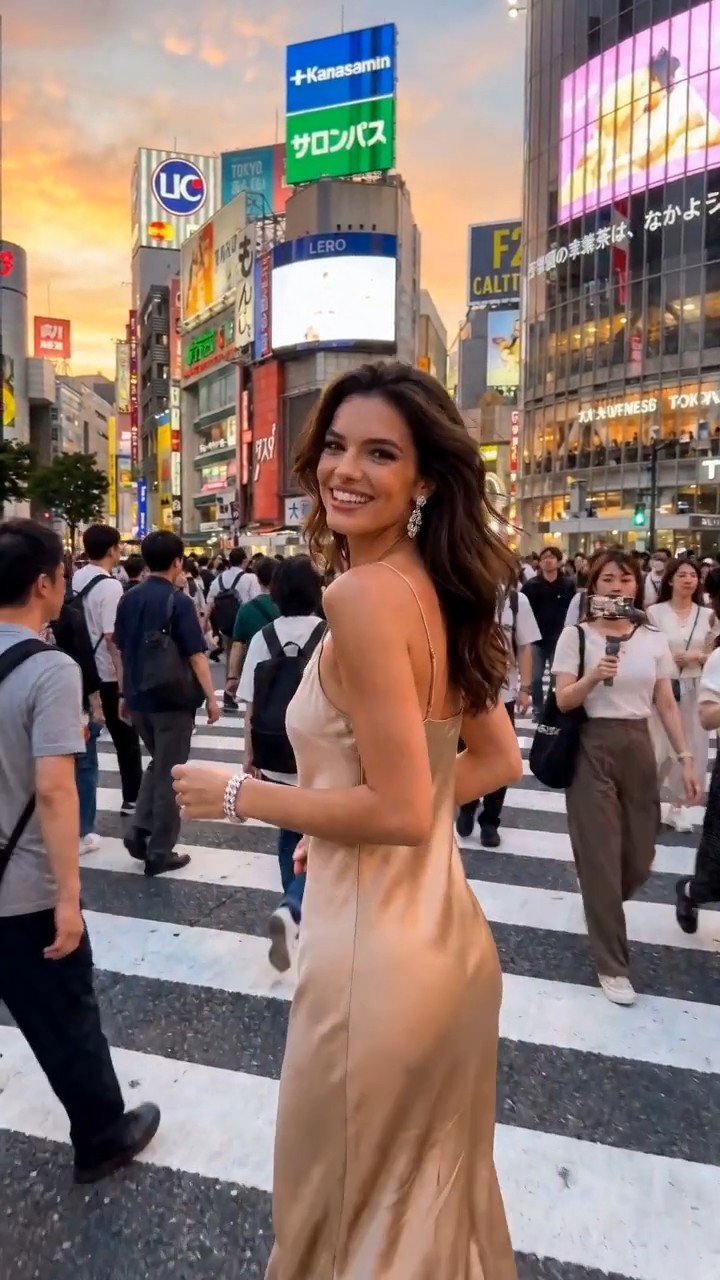
Turn Any Photo Into A Tokyo Street Clip
Create a Shibuya crossing video from almost any image. Upload a portrait, couple shot, fashion image, product photo, or lifestyle picture, and AIImage APP places it inside the famous crossing in Tokyo. The AI crossing video generator adds moving crowd layers, urban depth, street lights, and a realistic travel-video feeling.
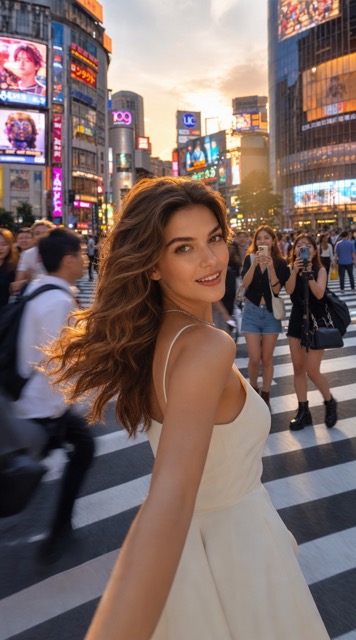
Realistic Crowds, Lights, And Motion
A strong Shibuya crossing video needs more than a static background. AIImage APP uses the AI crossing video generator to add pedestrian movement, traffic signal rhythm, neon reflections, storefront glow, crosswalk motion, and camera energy. These details help recreate the famous crossing in Tokyo with a cinematic result.
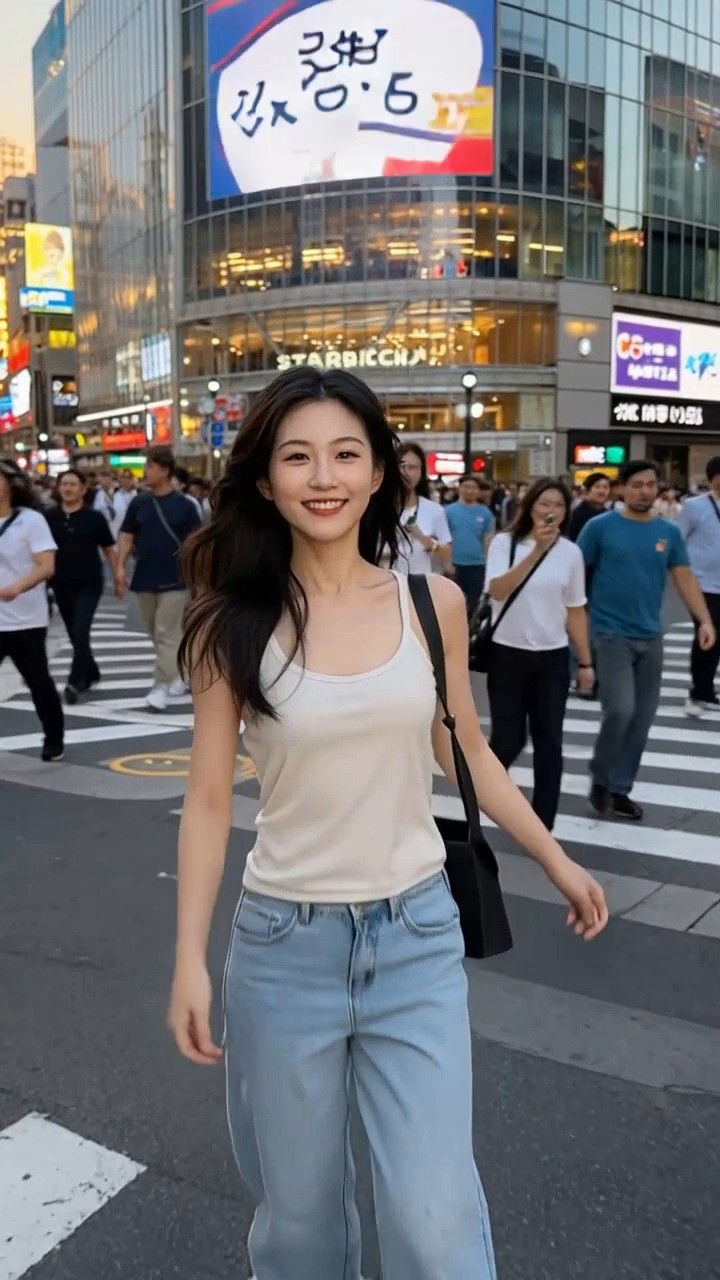
Keep The Uploaded Subject Recognizable
AIImage APP focuses on preserving the main subject while building the Shibuya crossing video scene. The AI crossing video generator keeps the face, clothing, pose, product shape, or main object consistent, then adds the famous crossing in Tokyo around it. This makes the Shibuya crossing video useful for personal edits, brand visuals, and creator content.
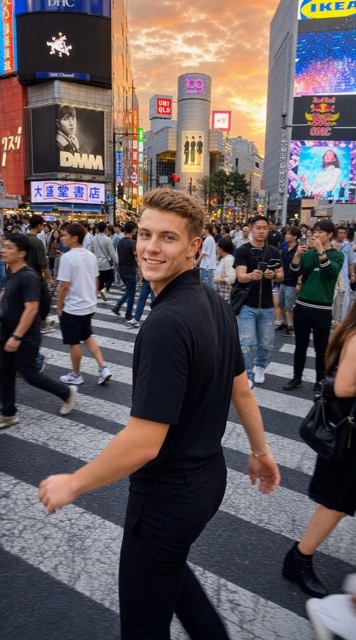
Make Viral Japan Travel Content Fast
The famous crossing in Tokyo is instantly recognizable, making a Shibuya crossing video perfect for travel-style posts, cinematic reels, profile videos, short ads, and social media storytelling. With the AI crossing video generator, creators can produce a polished Japan street video without filming, booking a trip, or editing complex footage.
Creators Love The Shibuya Crossing Video Effect
AIImage APP helps creators, travelers, marketers, editors, and brands create a Shibuya crossing video with the famous crossing in Tokyo from one uploaded image.
I uploaded a simple portrait and got a Shibuya crossing video that looked like a real Tokyo travel clip. The AI crossing video generator made the famous crossing in Tokyo feel lively and cinematic.
I uploaded a simple portrait and got a Shibuya crossing video that looked like a real Tokyo travel clip. The AI crossing video generator made the famous crossing in Tokyo feel lively and cinematic.
The Shibuya crossing video result was perfect for a short campaign teaser. AIImage APP added crowds, lights, and motion around our product photo without making the scene look flat.
The Shibuya crossing video result was perfect for a short campaign teaser. AIImage APP added crowds, lights, and motion around our product photo without making the scene look flat.
I used the AI crossing video generator for social content, and the famous crossing in Tokyo instantly made the clip more eye-catching. It was much faster than manual editing.
I used the AI crossing video generator for social content, and the famous crossing in Tokyo instantly made the clip more eye-catching. It was much faster than manual editing.
My fashion photo became a Shibuya crossing video with natural city movement and strong street style. The famous crossing in Tokyo background gave the whole video a premium travel look.
My fashion photo became a Shibuya crossing video with natural city movement and strong street style. The famous crossing in Tokyo background gave the whole video a premium travel look.
AIImage APP helped me create a Shibuya crossing video for a music visual. The AI crossing video generator added energy, crowd motion, and a believable Tokyo street atmosphere.
AIImage APP helped me create a Shibuya crossing video for a music visual. The AI crossing video generator added energy, crowd motion, and a believable Tokyo street atmosphere.
The famous crossing in Tokyo is a powerful visual hook. I turned a regular image into a Shibuya crossing video and used it as a high-retention opening for my reel.
The famous crossing in Tokyo is a powerful visual hook. I turned a regular image into a Shibuya crossing video and used it as a high-retention opening for my reel.




Best Use Cases For Shibuya Crossing Video
Use AIImage APP to create a Shibuya crossing video for social media, travel edits, profile clips, product visuals, fashion content, and Japan-inspired campaigns.

Travel-Style Social Video
Create a Shibuya crossing video even if you have never filmed in Japan. The AI crossing video generator places your image at the famous crossing in Tokyo with crowd movement, city lights, and travel energy.

Profile Video Upgrade
Turn a portrait into a dynamic Shibuya crossing video for profile content. The famous crossing in Tokyo gives your clip a recognizable city background and a more cinematic personal style.

Product Promotion Clip
Use the AI crossing video generator to place a product image inside a busy Japan street scene. A Shibuya crossing video can make product teasers, launch visuals, and campaign posts feel more urban and global.

Fashion And Streetwear Content
A Shibuya crossing video works well for outfit edits, fashion portraits, sneaker content, and streetwear campaigns. The famous crossing in Tokyo adds motion, culture, and city style to the visual.

Music And Creator Visuals
Use AIImage APP to generate a Shibuya crossing video for music snippets, creator intros, lyric videos, and visual loops. The AI crossing video generator adds atmosphere without requiring a real shoot.

Japan-Themed Campaigns
The famous crossing in Tokyo is ideal for Japan-themed content. Create a Shibuya crossing video for event promos, travel concepts, fan edits, brand storytelling, or seasonal social posts.
Shibuya Crossing Video FAQ
Learn how AIImage APP helps you create a Shibuya crossing video from one uploaded image with an AI crossing video generator.
It is an image to video tool that lets users upload a photo and generate a Shibuya crossing video. The AI crossing video generator adds the famous crossing in Tokyo, moving crowds, city lights, traffic signals, and cinematic motion around the uploaded image.
Upload your image, click generate, and get the final video result. AIImage APP handles the Shibuya crossing video creation automatically, so you can turn a still image into a dynamic clip at the famous crossing in Tokyo.
Yes. You can upload portraits, couple photos, fashion images, product shots, lifestyle images, or creative pictures. Clear images usually create better Shibuya crossing video results because the subject is easier for the AI crossing video generator to preserve.
AIImage APP aims to create a realistic famous crossing in Tokyo scene with crowds, crosswalk movement, urban lights, storefront glow, traffic signals, and camera motion. The final Shibuya crossing video is designed for social media and creative content.
Yes. The Shibuya crossing video result is suitable for TikTok, Instagram, YouTube Shorts, X, profile videos, travel edits, product teasers, and creator posts. The AI crossing video generator helps make quick Japan-inspired video content.
Manual editing takes footage, masking, motion design, and compositing. AIImage APP simplifies the process. Upload one image, click generate, and let the AI crossing video generator create a Shibuya crossing video at the famous crossing in Tokyo.
Create Your Shibuya Crossing Video Now
Upload any image, click generate, and get a cinematic Shibuya crossing video with AIImage APP. Use the AI crossing video generator to place your subject at the famous crossing in Tokyo with moving crowds, city lights, street atmosphere, and travel-style motion.