Create a Shibuya crossing photo first, then turn it into a dynamic Shibuya crossing video.
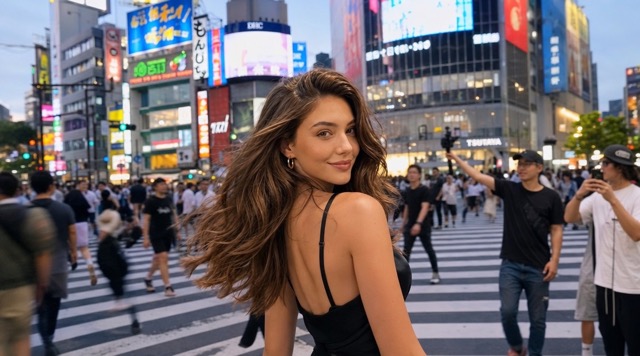
Shibuya Crossing Photo AI Image Generator
Turn any photo into a Shibuya crossing photo
AIImage APP helps you create a Shibuya crossing photo from one uploaded image. Upload any portrait, travel shot, product photo, couple photo, pet photo, or creative image, click generate, and get a realistic Shibuya crossing photo in seconds. The Shibuya crossing effect AI places your subject inside the busy Shibuya scramble crossing with neon signs, city crowds, road markings, traffic lights, Japanese street atmosphere, and cinematic Tokyo energy. Use this Shibuya crossing photo tool to make social posts, travel-style edits, profile pictures, campaign visuals, and urban lifestyle images without visiting Tokyo. The Shibuya crossing effect AI keeps the main subject recognizable while rebuilding the scene into a lively Shibuya crossing photo.
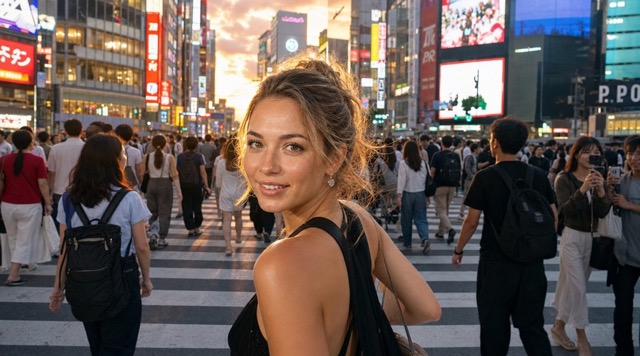
Create A Shibuya Crossing Photo In Three Simple Steps
Use AIImage APP to create a Shibuya crossing photo with a fast image-to-image workflow. Upload your image, click generate, and receive a polished Shibuya crossing photo with the Shibuya crossing effect AI.
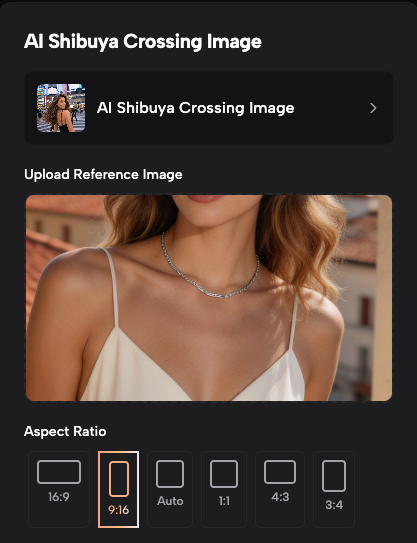
Upload Your Image
Step 1
Start by uploading a clear image. You can use a portrait, full-body photo, couple image, pet image, product image, or travel photo. AIImage APP reads the main subject, pose, clothing, expression, lighting, and composition before applying the Shibuya crossing effect AI. This helps the final Shibuya crossing photo feel connected to the original image while moving the scene into the famous Tokyo intersection.
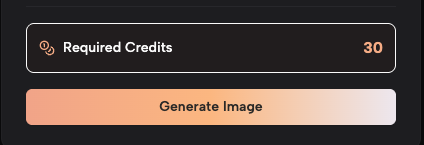
Why Use AIImage APP For Shibuya Crossing Photo Edits
A Shibuya crossing photo is one of the most recognizable Tokyo-style visuals for creators, travelers, brands, and everyday users. AIImage APP makes the Shibuya crossing effect AI accessible from one photo, so users can create a Shibuya crossing photo without booking a trip, hiring a photographer, or editing backgrounds by hand. The tool is useful for people who want a Japan travel look, a cinematic city edit, a busy crosswalk scene, or a modern social media visual. With AIImage APP, every Shibuya crossing photo can feel like a real moment captured in the heart of Tokyo.
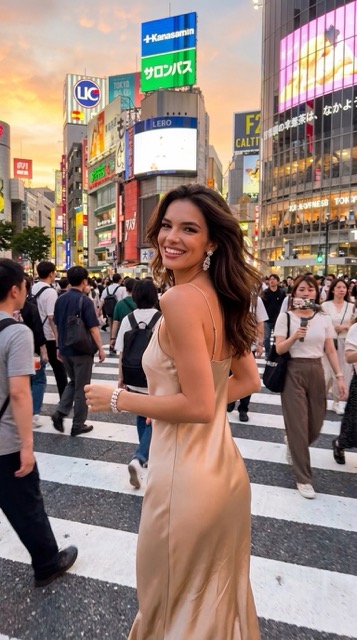
Realistic Tokyo Street Atmosphere
The Shibuya crossing effect AI builds a believable Tokyo street scene around your uploaded image. It can add zebra-crossing lines, crowd movement, glass storefronts, giant screens, traffic lights, wet street reflections, and dense city depth. The result is a Shibuya crossing photo that feels energetic, urban, and ready for visual storytelling.
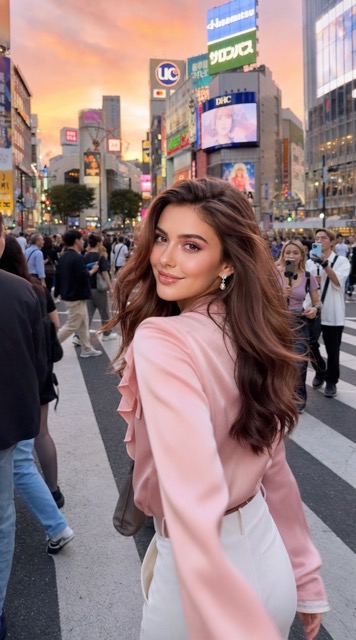
Turn Any Photo Into A Travel-Style Edit
Use AIImage APP when you want a Shibuya crossing photo from a simple portrait, casual selfie, product shot, or lifestyle picture. The Shibuya crossing effect AI gives the image a Tokyo travel feeling by changing the surrounding scene while keeping the subject visually central. It is ideal for users who want a Japan-inspired photo without complicated editing.
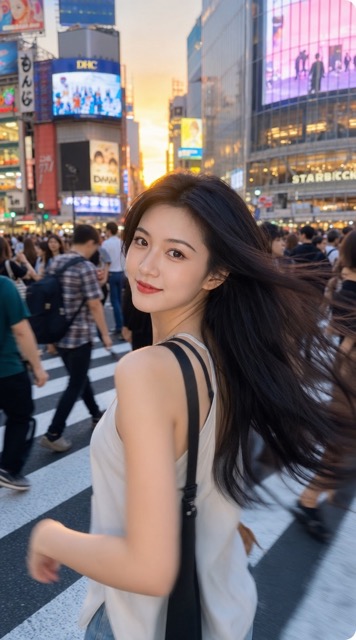
Preserve The Main Subject
AIImage APP focuses on making the Shibuya crossing photo look natural while keeping the main subject recognizable. The Shibuya crossing effect AI can preserve the person, outfit, pose, product shape, pet expression, or object details while rebuilding the background into a busy Shibuya crossing photo. This makes the result useful for personal images and branded visuals.
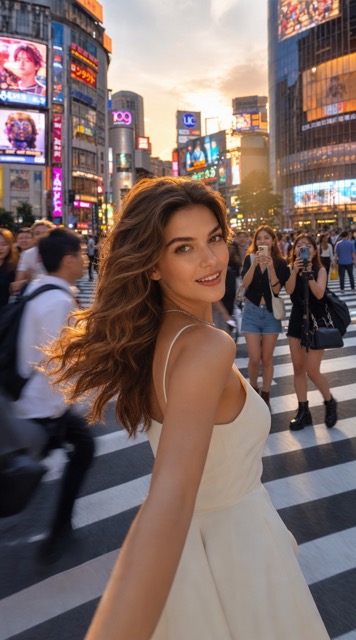
Create Social-Ready Urban Content
A Shibuya crossing photo works well for TikTok covers, Instagram posts, X visuals, profile pictures, ads, travel content, and creative thumbnails. The Shibuya crossing effect AI adds instant context and emotion, turning ordinary photos into Tokyo-style scenes that feel busy, cinematic, and shareable.
Users Love Creating Shibuya Crossing Photo Results
AIImage APP helps creators, travelers, marketers, photographers, and lifestyle users create a Shibuya crossing photo with the Shibuya crossing effect AI.
I used AIImage APP to turn a plain portrait into a Shibuya crossing photo. The Shibuya crossing effect AI added crowds, signs, and street lighting while keeping the subject easy to recognize.
I used AIImage APP to turn a plain portrait into a Shibuya crossing photo. The Shibuya crossing effect AI added crowds, signs, and street lighting while keeping the subject easy to recognize.
The Shibuya crossing photo result looked like a real Tokyo street moment. I liked how fast the Shibuya crossing effect AI created a clean social media image from one upload.
The Shibuya crossing photo result looked like a real Tokyo street moment. I liked how fast the Shibuya crossing effect AI created a clean social media image from one upload.
I needed a Shibuya crossing photo for a campaign mockup, and AIImage APP made it simple. The Shibuya crossing effect AI gave the product image a stronger city lifestyle mood.
I needed a Shibuya crossing photo for a campaign mockup, and AIImage APP made it simple. The Shibuya crossing effect AI gave the product image a stronger city lifestyle mood.
The best part is the one-click workflow. Upload, generate, and the Shibuya crossing photo is ready. The Shibuya crossing effect AI saved me from manual background editing.
The best part is the one-click workflow. Upload, generate, and the Shibuya crossing photo is ready. The Shibuya crossing effect AI saved me from manual background editing.
I made several Shibuya crossing photo versions for thumbnails. The Shibuya crossing effect AI helped me test rainy night, bright daytime, and neon city styles quickly.
I made several Shibuya crossing photo versions for thumbnails. The Shibuya crossing effect AI helped me test rainy night, bright daytime, and neon city styles quickly.
AIImage APP made my selfie feel like a Japan travel image. The Shibuya crossing photo had realistic city depth, and the Shibuya crossing effect AI kept the pose natural.
AIImage APP made my selfie feel like a Japan travel image. The Shibuya crossing photo had realistic city depth, and the Shibuya crossing effect AI kept the pose natural.


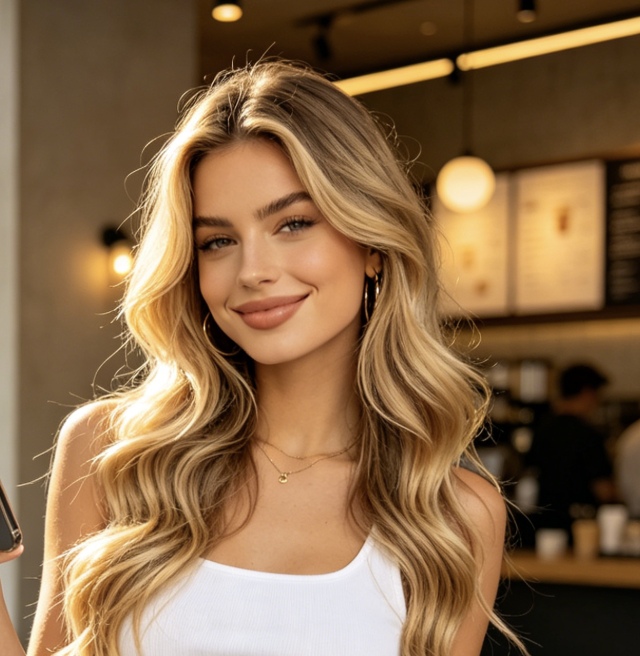
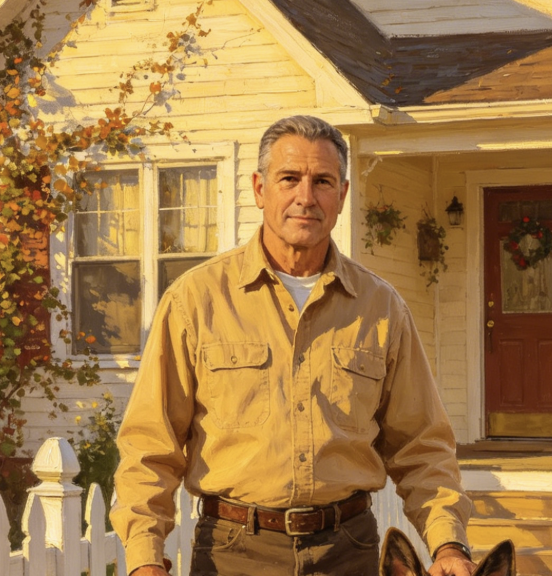
Best Use Cases For Shibuya Crossing Photo AI
Use AIImage APP to create a Shibuya crossing photo for social media, travel edits, brand campaigns, profile images, and creative urban visuals with the Shibuya crossing effect AI.

Tokyo Travel Fantasy
Create a Shibuya crossing photo when you want a Tokyo travel look without visiting Japan. The Shibuya crossing effect AI turns ordinary images into city-street visuals with crowds, crosswalks, and Japanese urban atmosphere.

Profile Picture Upgrade
Turn a selfie into a Shibuya crossing photo for a more dynamic profile picture. The Shibuya crossing effect AI adds depth, movement, and a recognizable Tokyo background that makes the image feel more memorable.

Social Media Post
Use a Shibuya crossing photo for Instagram, TikTok, X, Pinterest, or creator portfolios. The Shibuya crossing effect AI gives posts a cinematic Japan-city mood that can stand out in a crowded feed.

Brand Lifestyle Visual
Place a product, outfit, character, or model into a Shibuya crossing photo for campaign concepts. The Shibuya crossing effect AI helps brands test Tokyo street-style visuals before producing real shoots.

Creative Poster Concept
Generate a Shibuya crossing photo for posters, banners, thumbnails, mood boards, or fan edits. The Shibuya crossing effect AI creates an instant city setting with visual scale and atmosphere.

Before And After Content
Show a simple upload beside the final Shibuya crossing photo to create engaging before-and-after content. The Shibuya crossing effect AI makes transformation posts clear, dramatic, and easy to understand.
Shibuya Crossing Photo FAQ
Learn how AIImage APP helps users create a Shibuya crossing photo with a fast Shibuya crossing effect AI workflow.
It is an image-to-image AI tool that turns an uploaded image into a Shibuya crossing photo. AIImage APP uses the Shibuya crossing effect AI to add a Tokyo crosswalk scene, crowds, signs, road markings, and urban lighting.
Upload your image, click generate, and get the result. The workflow is designed to make a Shibuya crossing photo quickly, and the Shibuya crossing effect AI handles the scene transformation automatically.
Yes. You can create a Shibuya crossing photo from portraits, couple photos, product photos, pet images, character images, travel shots, and lifestyle pictures. Clear images usually give the Shibuya crossing effect AI better results.
AIImage APP aims to preserve the main subject while changing the background into a Shibuya crossing photo. The Shibuya crossing effect AI works best when the uploaded subject is clear, well lit, and not heavily cropped.
You can use a Shibuya crossing photo for social posts, profile pictures, travel-style edits, campaign mockups, thumbnails, posters, and creative content. The Shibuya crossing effect AI is useful when you want instant Tokyo street energy.
No. AIImage APP is built for simple image generation. To create a Shibuya crossing photo, upload a photo, click generate, and get the result. The Shibuya crossing effect AI does the background and atmosphere transformation.
Create Your Shibuya Crossing Photo With AIImage APP
Upload any image, click generate, and turn it into a realistic Shibuya crossing photo in seconds. Use the Shibuya crossing effect AI to create Tokyo street visuals for social media, travel edits, profile pictures, campaign concepts, posters, and creative before-and-after content.