Grok Imagine AI Image Generator by AIImage APP
Create fast text-to-image visuals, edit source images, and control style with prompts
Grok Imagine AI image helps you turn a written prompt into a polished visual in seconds. Built for creators, marketers, designers, and everyday users, Grok Imagine AI image supports fast text-to-image creation, source-image editing, detailed prompt control, multiple aspect ratios, and a wide range of visual styles. Use Grok Imagine AI image to create cinematic characters, social graphics, posters, product concepts, fantasy art, anime scenes, oil painting looks, abstract visuals, and typography-focused designs. AIImage APP makes Grok Imagine AI image simple to use: describe the subject, choose the mood, add lighting and composition details, then generate a clear image for your project.
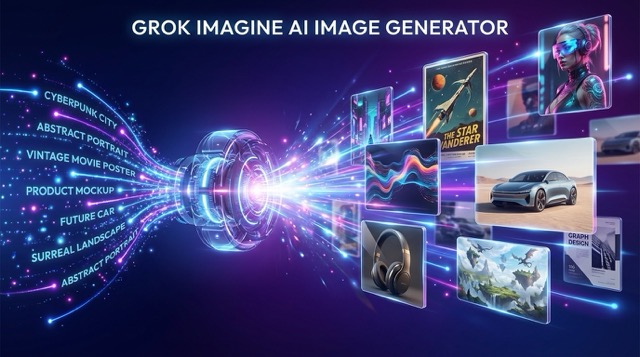
How Grok Imagine AI Image Works
AIImage APP gives you a simple workflow for Grok Imagine AI image creation. Write a detailed prompt, use a source image for edits when needed, control the visual style, select an aspect ratio, and generate images for social media, campaigns, posters, websites, product concepts, creative tests, and typography-heavy graphics.

Start From Text Or A Source Image
Start Grok Imagine AI image with a specific text prompt, or upload a source image when you want to describe edits. Include the subject, scene, style, mood, lighting, color palette, camera angle, and important objects. The more precise your direction is, the easier it is for Grok Imagine AI image to create or adjust the result.

Choose A Visual Style
Use Grok Imagine AI image for photorealistic visuals, anime, digital painting, fantasy art, pencil sketches, oil paintings, abstract scenes, retro looks, and cyberpunk compositions. You can guide Grok Imagine AI image with words like dramatic contrast, soft edges, bold colors, moody lighting, or cinematic framing.
Select The Right Aspect Ratio
Match Grok Imagine AI image output to your publishing goal. Choose an aspect ratio for social posts, thumbnails, banners, presentations, website visuals, posters, or ad concepts. The right format helps Grok Imagine AI image fit your channel from the first generation.

Generate, Preview, And Refine
Generate your Grok Imagine AI image, preview the result, and adjust your prompt if you want a different style, stronger lighting, clearer text, or a more focused composition. Grok Imagine AI image is designed for fast iteration, so you can test ideas quickly before choosing the final visual.
Why Use Grok Imagine AI Image On AIImage APP
Grok Imagine AI image combines speed, prompt control, source-image editing, aspect ratio choice, style versatility, stronger typography rendering, and cinematic visual quality. AIImage APP makes Grok Imagine AI image accessible for content teams, creators, founders, designers, and marketers who need polished images for campaigns, social posts, landing pages, ads, presentations, moodboards, and experiments.
Fast Text-To-Image Creation
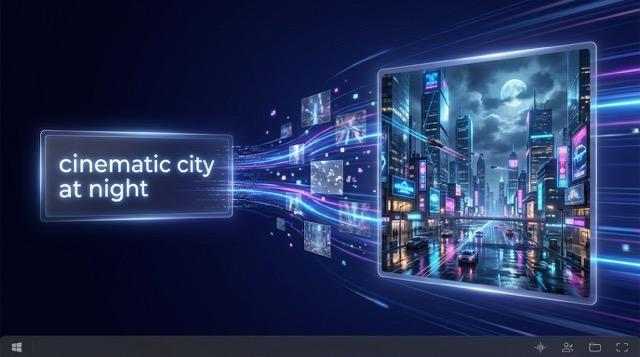
Grok Imagine AI image is built for fast image generation from text prompts. Describe what you want to see and Grok Imagine AI image can create a visual with subject, style, lighting, mood, and composition in mind. This makes Grok Imagine AI image useful when you need quick creative exploration, multiple campaign directions, or visual ideas without starting from a blank canvas.
Strong Creative Control
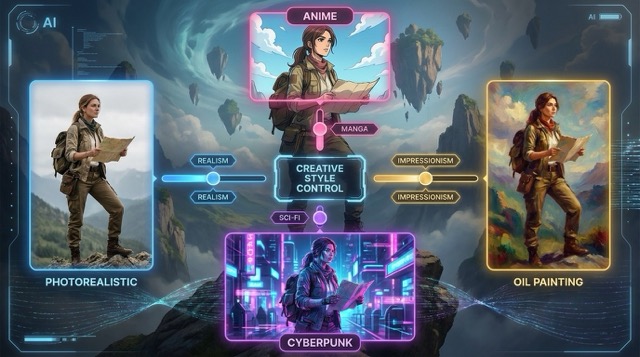
Grok Imagine AI image responds well to detailed creative cues. You can guide Grok Imagine AI image with art style, genre, atmosphere, camera language, color, texture, and lighting. Whether you want photorealism, anime, digital painting, fantasy illustration, pencil sketch, oil painting, abstract art, retro anime, or cyberpunk mood, Grok Imagine AI image gives you room to shape the final look.
Readable Text For Visual Designs
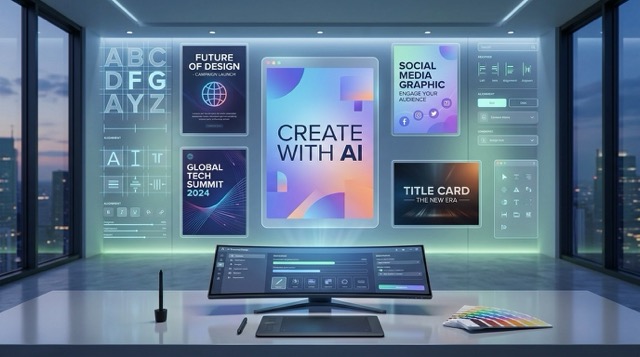
Many image models struggle with text, but Grok Imagine AI image is known for stronger readable text rendering. Use Grok Imagine AI image for poster concepts, social media graphics, title cards, promo visuals, quote designs, event banners, and layouts that need typography inside the image. For better results, tell Grok Imagine AI image what the text should say and where it should appear.
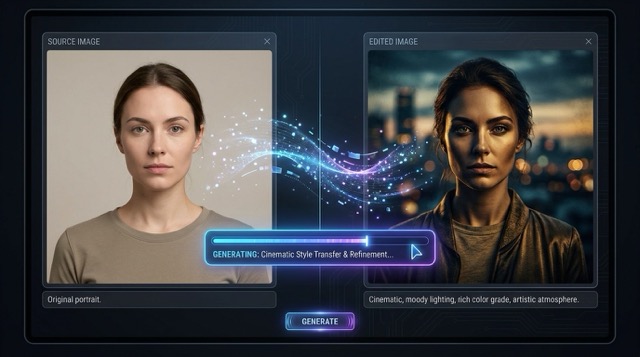
Prompt-Based Image Editing
Grok Imagine AI image can also work with an uploaded source image. Describe the change you want, and Grok Imagine AI image can adjust the image while preserving the overall structure. Use Grok Imagine AI image for style transfer, mood changes, artistic reinterpretation, or cleaner creative variations when you want to keep the core image but refresh the look.
Creators Are Using Grok Imagine AI Image
Grok Imagine AI image helps real creative workflows, from typography tests and poster concepts to cinematic characters, campaign drafts, product visuals, and website images.
I used Grok Imagine AI image for a launch poster and the readable headline inside the image saved me a lot of editing time. The first result already had the moody lighting I wanted, and small prompt changes gave me stronger variations.
I used Grok Imagine AI image for a launch poster and the readable headline inside the image saved me a lot of editing time. The first result already had the moody lighting I wanted, and small prompt changes gave me stronger variations.
For product concepts, Grok Imagine AI image helped me test backgrounds, lighting, and ad-style compositions before scheduling a shoot. I liked how quickly I could compare clean studio looks with more cinematic versions.
For product concepts, Grok Imagine AI image helped me test backgrounds, lighting, and ad-style compositions before scheduling a shoot. I liked how quickly I could compare clean studio looks with more cinematic versions.
Grok Imagine AI image worked well for typography-heavy brand mockups. I described the layout, the phrase, and the mood, then used the best result as a direction for a client presentation.
Grok Imagine AI image worked well for typography-heavy brand mockups. I described the layout, the phrase, and the mood, then used the best result as a direction for a client presentation.
I tested Grok Imagine AI image for retro anime and cyberpunk character scenes. The faces, shadows, and color palette felt consistent enough to build a visual moodboard for a game pitch.
I tested Grok Imagine AI image for retro anime and cyberpunk character scenes. The faces, shadows, and color palette felt consistent enough to build a visual moodboard for a game pitch.
Grok Imagine AI image fits my content workflow because I can create blog headers, campaign visuals, and quote graphics from one prompt style. It is especially useful when I need options quickly.
Grok Imagine AI image fits my content workflow because I can create blog headers, campaign visuals, and quote graphics from one prompt style. It is especially useful when I need options quickly.
I used Grok Imagine AI image to explore landing page visuals for a new product. The aspect ratio control and fast prompt testing made it easier to choose a direction before handing work to design.
I used Grok Imagine AI image to explore landing page visuals for a new product. The aspect ratio control and fast prompt testing made it easier to choose a direction before handing work to design.


Best Use Cases For Grok Imagine AI Image
Grok Imagine AI image is suitable for creators who need fast, polished, prompt-driven image output. Use Grok Imagine AI image for social media, marketing, brand design, posters, characters, landing pages, moodboards, and typography concepts.

Social Media Graphics
Use Grok Imagine AI image to create posts, banners, thumbnails, quote visuals, story images, and promo graphics. The model helps creators test styles, moods, and layouts quickly.
Posters And Typography Concepts
Use Grok Imagine AI image when you need legible words inside the image. The model is useful for poster ideas, event graphics, title cards, slogans, and campaign visuals.

Character And Story Art
Create portraits, cinematic characters, retro anime scenes, fantasy concepts, cyberpunk images, and narrative frames with Grok Imagine AI image. The model supports expressive lighting and mood.

Marketing And Ad Concepts
Use Grok Imagine AI image to test campaign directions, product scenes, hero images, creative hooks, and visual ads. The model makes early visual exploration faster.

Image Editing And Style Transfer
Upload a source image and describe the change you want with Grok Imagine AI image. The model is useful for artistic style shifts, mood changes, and cleaner visual variations.

Creative Style Experiments
Try photorealistic, anime, oil painting, sketch, abstract, fantasy, and cinematic styles with Grok Imagine AI image. The model is ideal for fast prompt testing.
Grok Imagine AI Image FAQ
Learn how Grok Imagine AI image works, what you can create, how to write better prompts, and how to use Grok Imagine AI image for practical creative projects.
Grok Imagine AI image is a prompt-driven image model for creating visuals from text. You describe the scene, style, lighting, mood, and composition, then the model generates an image based on your prompt.
Yes. Upload a source image and describe the changes you want. Grok Imagine AI image can understand the image content, apply your prompt, and preserve the overall structure while changing style, mood, or details.
Yes. Grok Imagine AI image is designed for stronger readable text rendering than many image models. For the best result, write the exact text you want and describe its placement inside the image.
Grok Imagine AI image can handle photorealistic images, anime, digital painting, fantasy art, pencil sketches, oil paintings, abstract visuals, retro anime, cyberpunk looks, cinematic portraits, and moody scenes.
Use a detailed prompt with subject, background, visual style, mood, lighting, composition, color, camera angle, and any words that should appear in the image. Grok Imagine AI image usually performs better when the prompt gives clear creative direction.
Yes. You can choose different aspect ratios so the Grok Imagine AI image output fits social posts, presentations, banners, thumbnails, posters, websites, and other creative formats.
Start Creating With Grok Imagine AI Image
Turn your idea into a polished visual with Grok Imagine AI image on AIImage APP. Write a prompt, choose your style, select the right format, and generate images for social media, posters, ads, product concepts, website visuals, typography designs, characters, and creative exploration. Grok Imagine AI image helps you move from concept to image with speed, control, and visual impact.