AI Image Combiner: Merge Multiple Pictures Into One
Upload two or more images and blend them into one complete visual
AIImage APP offers an AI image combiner that turns two or more uploaded pictures into one coherent image. Add portraits, products, backgrounds, objects, pets, or creative references, then describe how they should appear together. The AI image combiner matches composition, scale, lighting, perspective, color, and shadows for a polished result. With AI merge images online, you can create group photos, product scenes, collages, advertising concepts, and imaginative composites without building masks or layers manually. The AI image combiner makes complex photo merging accessible to creators, marketers, sellers, designers, and everyday users. Use AI merge images online to move from separate source pictures to one finished visual in a simple workflow.
How to Use the AI Image Combiner
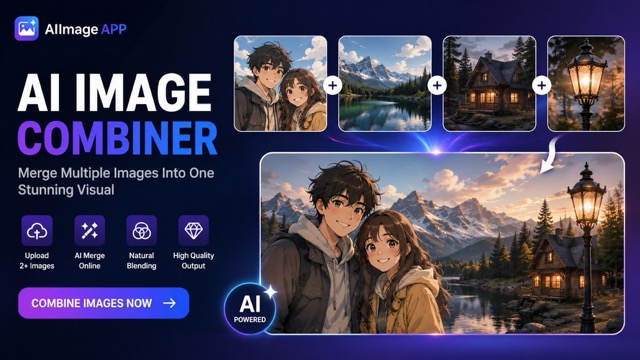
The AI image combiner follows a clear four-step process: upload two or more images, write a composition prompt, generate and preview, then download and share. AI merge images online helps you combine separate visual elements while keeping the final image consistent, balanced, and natural.

Upload Two or More Images
Start the AI image combiner by uploading at least two source images. You can add people, products, objects, backgrounds, animals, or visual references. For stronger results, choose clear images with visible subjects. AI merge images online supports multi-image input, so you are not limited to combining only two pictures.
Describe the Final Composition
Tell the AI image combiner what to keep, where each subject should appear, and what kind of scene you want. Mention position, background, pose, style, mood, lighting, and camera angle. A clear prompt helps AI merge images online with more accurate placement and fewer unwanted changes.
Generate and Preview
Click generate and let the AI image combiner analyze every upload. It blends key elements, adjusts proportions, and creates consistent light, depth, perspective, and color. Preview the result to check whether AI merge images online has produced the composition you planned.
Download and Share
Download the final image when the composition looks right. Use the AI image combiner for social posts, product pages, campaign mockups, personal photos, presentations, or creative projects. AI merge images online gives you a ready-to-use visual without a complicated manual editing process.
Why Choose the AI Image Combiner from AIImage APP
The AI image combiner brings multi-image upload, prompt-guided composition, natural blending, and high-quality output into one accessible tool. You can use AI merge images online without manually cutting out every subject or matching each layer by hand. The AI image combiner is built for fast experimentation and practical content production, while AI merge images online helps users create complex visuals with fewer technical steps.
Combine More Than Two Pictures
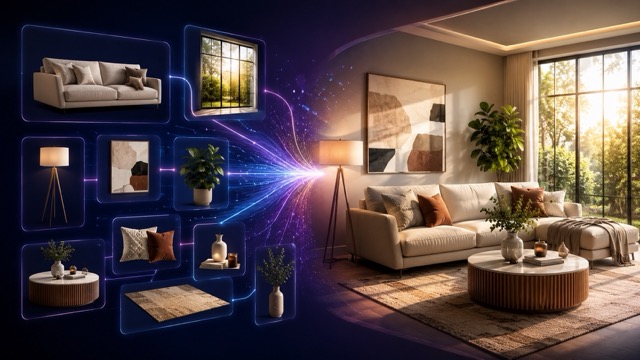
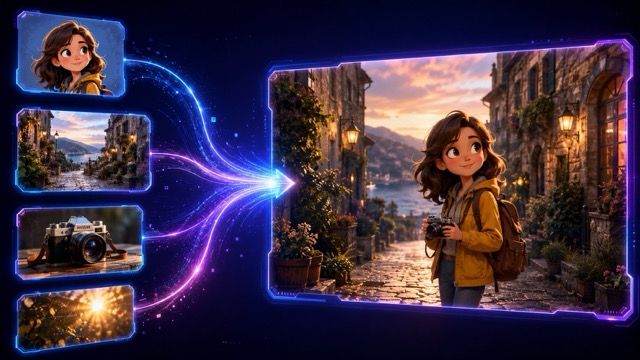
The AI image combiner is designed for multi-image creation. Upload two, three, or more pictures and define how the important elements should be arranged in one frame. You can bring several people into a group photo, place multiple products in one campaign scene, or mix objects and backgrounds from different sources. AI merge images online gives you more flexibility than a basic two-photo overlay. The AI image combiner reads the full set of references and builds one unified composition.
Natural Lighting and Perspective Matching
A believable composite needs more than pasted cutouts. The AI image combiner adjusts subject size, camera perspective, light direction, color temperature, focus, and shadows across the merged scene. This helps faces, products, and objects look as though they were captured together. AI merge images online reduces harsh borders, mismatched tones, and floating elements. The AI image combiner creates smoother visual transitions while preserving the details that matter.
Prompt Control for Custom Compositions
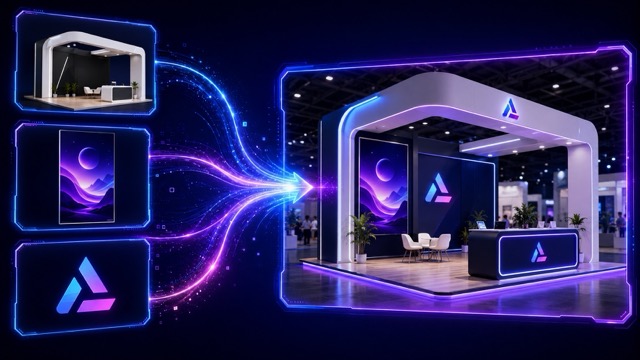
Use a simple prompt to direct the AI image combiner. Specify which person should stand on the left, which product belongs in the foreground, which image should provide the background, or what visual style should connect the scene. AI merge images online follows your instructions instead of relying on a fixed collage layout. The AI image combiner is suitable for realistic photography, editorial compositions, commercial visuals, fantasy scenes, and playful image combinations.
One Coherent Image Instead of a Basic Collage
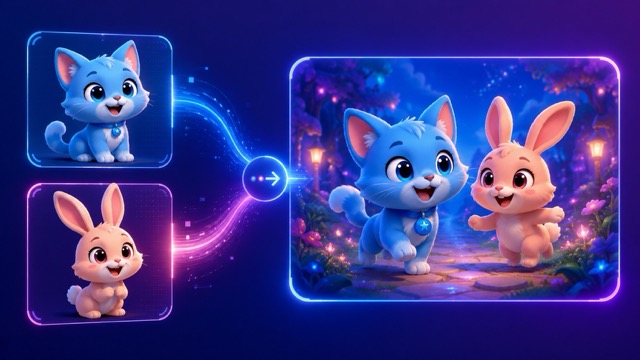
The AI image combiner does not simply place pictures side by side. It can integrate subjects and objects into a shared environment, helping the output feel like one finished image. Use AI merge images online when a standard grid collage cannot deliver the visual connection you need. The AI image combiner supports campaign concepts, group scenes, storytelling images, and product combinations with a cleaner, more professional appearance.
What Users Say About the AI Image Combiner
Creators, photographers, marketers, sellers, and designers use the AI image combiner to turn separate visual assets into one cohesive image. AI merge images online supports both practical content work and creative experimentation.
I use the AI image combiner to place products from separate shoots into one campaign scene. AI merge images online saves time when I need several concepts before a launch, and the lighting match makes the result much easier to present.
I use the AI image combiner to place products from separate shoots into one campaign scene. AI merge images online saves time when I need several concepts before a launch, and the lighting match makes the result much easier to present.
The AI image combiner helps me build social visuals from portraits, props, and backgrounds. I can explain the layout in a prompt, and AI merge images online gives me a usable composition without a long masking workflow.
The AI image combiner helps me build social visuals from portraits, props, and backgrounds. I can explain the layout in a prompt, and AI merge images online gives me a usable composition without a long masking workflow.
I needed to combine several family photos into one natural group image. The AI image combiner kept the people recognizable and balanced their size well. AI merge images online made the process straightforward.
I needed to combine several family photos into one natural group image. The AI image combiner kept the people recognizable and balanced their size well. AI merge images online made the process straightforward.
For client pitches, the AI image combiner lets me merge products, locations, and styling references into a single concept. AI merge images online is useful when I need to communicate an idea before the final production begins.
For client pitches, the AI image combiner lets me merge products, locations, and styling references into a single concept. AI merge images online is useful when I need to communicate an idea before the final production begins.
The AI image combiner is much faster than building every rough composite manually. I use AI merge images online to test layouts, subject placement, and background options before refining the chosen direction.
The AI image combiner is much faster than building every rough composite manually. I use AI merge images online to test layouts, subject placement, and background options before refining the chosen direction.
I use the AI image combiner for imaginative scenes that mix characters, pets, objects, and landscapes. AI merge images online gives me a strong starting point while still letting me control the story through the prompt.
I use the AI image combiner for imaginative scenes that mix characters, pets, objects, and landscapes. AI merge images online gives me a strong starting point while still letting me control the story through the prompt.
Best Use Cases for the AI Image Combiner
Use the AI image combiner for group portraits, product scenes, background changes, creative storytelling, interior concepts, and advertising visuals. AI merge images online is useful whenever separate images need to become one connected composition.

Group Photos from Separate Portraits
Use the AI image combiner to place people from different portraits into one shared scene. AI merge images online can align scale, pose, light, and background so the final group photo feels more consistent.
Product Bundles and Campaign Scenes
Combine separate product shots into a bundle image, seasonal promotion, or lifestyle composition. The AI image combiner helps arrange items naturally, while AI merge images online creates a unified commercial visual.

People with New Backgrounds
Upload a portrait and one or more environment references, then use the AI image combiner to create a new scene. AI merge images online can connect the subject with travel, studio, office, or fantasy backgrounds.
Creative Characters and Story Scenes
The AI image combiner can mix characters, props, animals, and locations for posters, thumbnails, and visual stories. AI merge images online helps build a complete narrative frame from several separate references.
Interior and Moodboard Concepts
Use the AI image combiner to bring furniture, decor, colors, textures, and room references into one concept image. AI merge images online makes it easier to explore a visual direction before final design work.

Social Media and Advertising Composites
Create promotional visuals by combining people, products, text-free backgrounds, and branded objects. The AI image combiner supports fast creative testing, and AI merge images online helps produce multiple campaign directions.
AI Image Combiner FAQ
Find answers about multi-image upload, prompt writing, detail preservation, output quality, and how AI merge images online works with the AI image combiner from AIImage APP.
An AI image combiner is a tool that blends elements from two or more uploaded pictures into one new image. Instead of only arranging photos in a grid, the AI image combiner can match perspective, scale, lighting, color, and shadows across the final scene.
Yes. The AI image combiner supports two or more uploads, so you can work with several people, products, objects, or backgrounds in one generation. AI merge images online gives you flexibility for both simple and complex compositions.
Upload your source pictures, explain the desired composition in a prompt, and generate the result. The AI image combiner analyzes the references and builds one output. AI merge images online can reduce the manual work involved in selections, layers, and masks.
The AI image combiner aims to preserve recognizable faces, clothing, products, and important objects, but results depend on image quality and prompt clarity. For better AI merge images online results, use sharp source images and state which details must remain unchanged.
Write a direct prompt that identifies each upload by role. Explain which image provides the person, product, object, or background, then specify placement, scale, pose, lighting, and style. This helps the AI image combiner understand how to merge the references.
The AI image combiner is suitable for social media, e-commerce, advertising, photography concepts, moodboards, personal projects, and creative storytelling. AI merge images online works best when you need one coherent scene rather than a simple side-by-side collage.
Merge Multiple Pictures with the AI Image Combiner
Upload two or more pictures, describe the final composition, and let the AI image combiner blend them into one polished visual. Use AI merge images online for group photos, product campaigns, creative scenes, social content, moodboards, and more. The AI image combiner helps you create one connected image without a complicated layer-by-layer workflow.