
Add Emoji To Photo With AIImage APP
Turn any photo into a more playful, expressive, and vibe-ready image
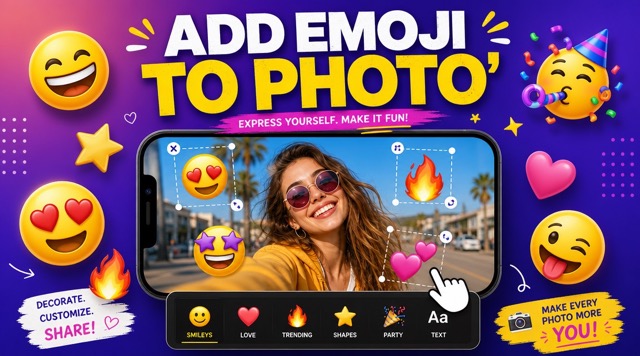
AIImage APP helps you add emoji to photo in a fast image to image workflow. Upload any picture, choose the right resolution, click generate, and get a more expressive result without changing the original reference image. With add emoji to photo, the tool analyzes the whole vibe of your photo and places matching emojis, stickers, doodles, hearts, flowers, stars, smileys, clouds, or playful graphic elements around the subject. You can add an emoji to a photo for selfies, pet photos, birthday images, travel shots, lifestyle content, family moments, profile pictures, and social posts. AIImage APP makes add emoji to photo simple, aesthetic, and shareable, so every image can feel more alive while keeping the original photo intact.
How Add Emoji To Photo Works
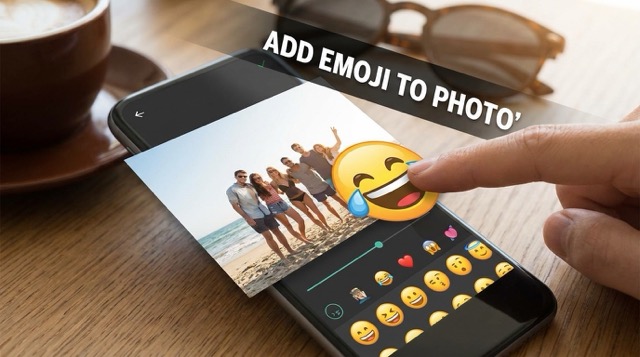
Use AIImage APP to add emoji to photo in four simple steps. Upload your image, choose parameters such as resolution, click generate, and receive a polished emoji-enhanced photo. The workflow helps anyone add an emoji to a photo while preserving the original subject, face, outfit, background, and composition.

Upload Your Photo
Start add emoji to photo by uploading a selfie, portrait, pet photo, product shot, birthday picture, travel image, or lifestyle photo. AIImage APP reads the mood, color, subject, background, and composition, then prepares to add an emoji to a photo without changing the original image.

Choose Image Parameters
Select the image parameters you need, including size and resolution. This helps add emoji to photo fit different platforms such as Instagram posts, profile pictures, story images, banners, thumbnails, and social media edits. You can add an emoji to a photo in the right format before generation.

Click Generate
Click generate and let AIImage APP add emoji to photo automatically. The system chooses emojis that match the reference image’s whole vibe, then places them in empty areas or around the subject. This makes it easy to add an emoji to a photo with balanced composition.

Get A More Vibe-Ready Image
Download your final image after AIImage APP completes add emoji to photo. The result keeps the original reference photo unchanged while adding expressive emojis and stickers. You can add an emoji to a photo for a more fun, cute, emotional, or social-ready visual.
Why Use AIImage APP To Add Emoji To Photo
AIImage APP makes add emoji to photo useful for creators, families, pet lovers, influencers, sellers, students, designers, and social media teams. Instead of manually placing each sticker, you can upload one image and let AI choose elements that match the picture’s vibe. Whether you want to add an emoji to a photo for cute energy, funny expression, birthday mood, lifestyle style, or playful branding, AIImage APP keeps the original image intact and makes the final photo more engaging.


Emoji Elements That Match The Whole Photo Vibe
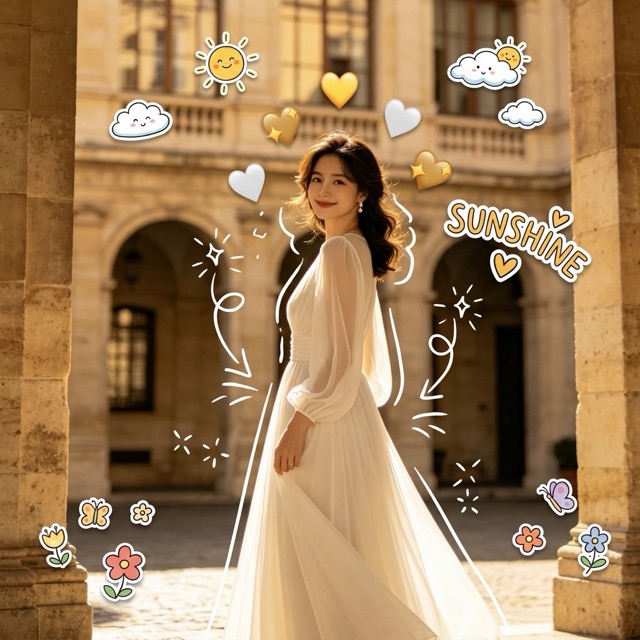
AIImage APP does more than randomly add emoji to photo. It studies the feeling of the uploaded image first, then selects emojis that match the scene. A sunny selfie may get hearts, sparkles, clouds, flowers, and smileys. A funny pet photo may get meme eyes, blush, reaction stickers, and playful faces. When you add an emoji to a photo, the final result feels intentional, balanced, and made for social sharing.
Keep The Original Reference Image Unchanged
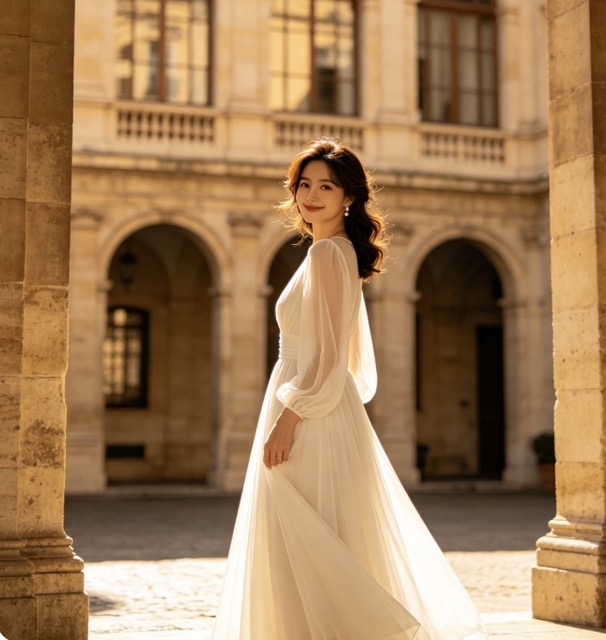
The goal of add emoji to photo is to improve the image without replacing it. AIImage APP keeps the original face, pose, body, clothing, background, lighting, colors, camera angle, and composition. You can add an emoji to a photo while preserving the important details, so the image still looks like the same reference photo, only more expressive, lively, and complete.


Create Social Media Sticker-Style Edits
Use add emoji to photo for modern social media edits, reaction posts, birthday collages, cute pet images, creator content, profile updates, and playful brand visuals. AIImage APP can add hearts, stars, flowers, clouds, doodles, smileys, celebration icons, or sticker-style graphics. When you add an emoji to a photo, the image becomes more emotional, eye-catching, and ready to post.

Balanced Placement Without Messy Overlays
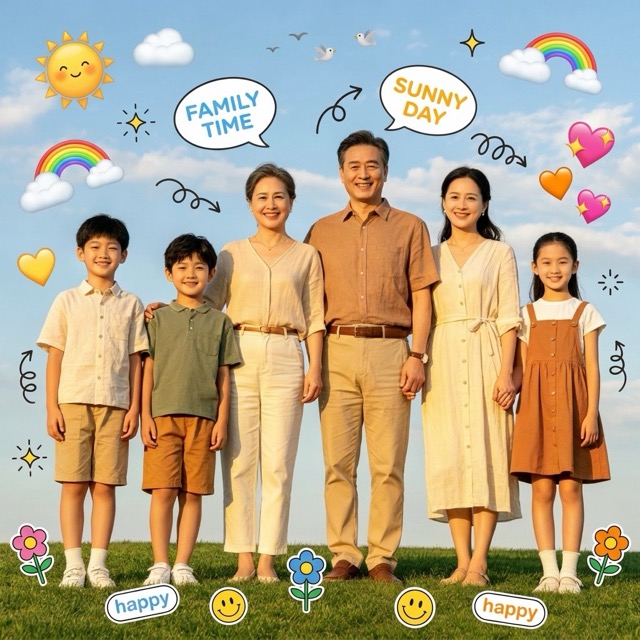
AIImage APP helps add emoji to photo with clean visual balance. The emojis are placed around the subject, in open background areas, or as decorative sticker accents. The tool avoids covering the face, eyes, hands, outfit details, or key objects. You can add an emoji to a photo and still keep the subject clear, sharp, and visually important.
Users Love Add Emoji To Photo
AIImage APP helps users add emoji to photo for selfies, pets, birthdays, social media posts, lifestyle images, and marketing visuals. It is a fast way to add an emoji to a photo and make the image more expressive.
I use add emoji to photo for quick Instagram edits. AIImage APP understands the mood of my selfies and adds hearts, sparkles, and cute stickers without changing my face. It is my favorite way to add an emoji to a photo before posting.
I use add emoji to photo for quick Instagram edits. AIImage APP understands the mood of my selfies and adds hearts, sparkles, and cute stickers without changing my face. It is my favorite way to add an emoji to a photo before posting.
For pet content, add emoji to photo makes every image funnier. I can upload a dog photo and get expressive eyes, blush, and playful stickers. It is very easy to add an emoji to a photo and keep the pet looking natural.
For pet content, add emoji to photo makes every image funnier. I can upload a dog photo and get expressive eyes, blush, and playful stickers. It is very easy to add an emoji to a photo and keep the pet looking natural.
I wanted birthday photos to feel more personal. AIImage APP helped me add emoji to photo with soft doodles, hearts, and celebration elements. Now I can add an emoji to a photo and make it look like a polished party collage.
I wanted birthday photos to feel more personal. AIImage APP helped me add emoji to photo with soft doodles, hearts, and celebration elements. Now I can add an emoji to a photo and make it look like a polished party collage.
As a designer, I like that add emoji to photo does not destroy the original composition. The stickers feel placed with intention. I use it when clients ask me to add an emoji to a photo for a more casual social campaign.
As a designer, I like that add emoji to photo does not destroy the original composition. The stickers feel placed with intention. I use it when clients ask me to add an emoji to a photo for a more casual social campaign.
AIImage APP makes add emoji to photo fast for daily content. I upload lifestyle shots, choose the resolution, generate, and get a more expressive image. It is the easiest way to add an emoji to a photo without editing software.
AIImage APP makes add emoji to photo fast for daily content. I upload lifestyle shots, choose the resolution, generate, and get a more expressive image. It is the easiest way to add an emoji to a photo without editing software.
I use add emoji to photo for product teasers and creator posts. The emoji overlays help the images feel more fun and clickable. AIImage APP helps me add an emoji to a photo while keeping the product and background clear.
I use add emoji to photo for product teasers and creator posts. The emoji overlays help the images feel more fun and clickable. AIImage APP helps me add an emoji to a photo while keeping the product and background clear.






Best Use Cases For Add Emoji To Photo
AIImage APP makes add emoji to photo useful for personal photos, social media content, pet memes, birthday images, travel shots, and promotional visuals. You can add an emoji to a photo whenever you want the image to feel more expressive, funny, cute, or full of vibe.

Selfie And Portrait Edits
Use add emoji to photo for selfies, profile pictures, creator portraits, and lifestyle shots. AIImage APP can add hearts, sparkles, stars, smileys, and cute sticker elements. You can add an emoji to a photo without changing the person.
Pet Photo Memes
Make pet photos more expressive with add emoji to photo. Add silly eyes, blush, reaction faces, hearts, or funny icons around dogs, cats, and other pets. It is simple to add an emoji to a photo and create a shareable pet meme.

Birthday And Party Images
Use add emoji to photo for birthday cards, party collages, family photos, and celebration posts. AIImage APP can add balloons, smileys, hearts, doodles, and festive stickers. You can add an emoji to a photo and make the moment feel happier.

Travel And Outdoor Photos
Make travel images more lively with add emoji to photo. Add sunshine, clouds, stars, flowers, hearts, location-style stickers, or playful icons that fit the destination. AIImage APP helps add an emoji to a photo while keeping the original scenery visible.

Social Media Posts
Use add emoji to photo when you need more clickable posts, stories, thumbnails, or profile updates. The effect adds personality and emotion without complicated editing. You can add an emoji to a photo and make everyday content feel more vivid.

Brand And Product Visuals
Use add emoji to photo for playful campaign images, product announcements, creator ads, and casual brand content. AIImage APP can place emoji accents around the product or model. You can add an emoji to a photo while keeping the main subject clear.
Add Emoji To Photo FAQ
Learn how AIImage APP helps add emoji to photo, preserve the original reference image, and add an emoji to a photo with matching stickers, doodles, and playful visual elements.
Add emoji to photo with AIImage APP means you upload a photo and generate a new version with matching emojis, stickers, doodles, and decorative elements. The tool helps add an emoji to a photo while keeping the original image unchanged.
Yes. AIImage APP is designed to add emoji to photo without changing the original face, pose, clothing, background, lighting, or composition. You can add an emoji to a photo and still preserve the reference image.
AIImage APP analyzes the whole vibe of the image before it decides how to add emoji to photo. It can use hearts, flowers, sparkles, stars, clouds, smileys, funny faces, birthday stickers, or doodles when you add an emoji to a photo.
Yes. The add emoji to photo workflow works well for portraits, selfies, pet photos, family images, travel pictures, lifestyle shots, product visuals, and social media edits. You can add an emoji to a photo for many creative situations.
The tool places emojis around the subject, in empty background areas, or as balanced sticker accents. This makes add emoji to photo cleaner and avoids covering important details. You can add an emoji to a photo without making it messy.
Upload your image, choose parameters such as resolution or size, then click generate. AIImage APP will add emoji to photo and create a more vivid result. It is a simple way to add an emoji to a photo without manual editing.
Start Add Emoji To Photo With AIImage APP
Upload your favorite image, choose the right resolution, click generate, and let AIImage APP add emoji to photo with matching stickers and playful details. You can add an emoji to a photo for selfies, pets, birthdays, travel, social media, and brand visuals while keeping the original image unchanged. Start add emoji to photo now and make every picture feel more alive.